

Running
Dashboard
Browse every run on your machine, see which tests break under which faults, and open any recording.
danwo serve opens a dashboard of your project's runs: every test, every matrix, every recording.
It reads what danwo already keeps in .danwo, on your machine. Nothing leaves it.
Open it
npx @danwo/cli serve --opendanwo dashboard for ~/code/shop
http://127.0.0.1:4310/It finds the project from the nearest danwo.config.ts. It never writes to .danwo, so leave it
open while you run tests and reload a page to see new runs. -p 0 picks any free port.
The pages
The sidebar holds every page. Collapse it to icons with Cmd+B (or Ctrl+B).
| Page | What it shows |
|---|---|
| Overview | pass rate, runs, failed tests and run time over 7, 30 or 90 days, and what's worth a look |
| Tests | every test with its latest result, pass rate and matrix verdict |
| Runs | every danwo test and danwo matrix run, filtered by status, kind and date |
| Matrix | each test's latest matrix verdict and the faults that broke it |
| Insights | flake rate, the slowest and costliest tests, the replay cache, lint findings |
| Impact | what each test touched: pages, providers, webhooks |
| Settings | the project folder, the config, and keyboard shortcuts |
Overview
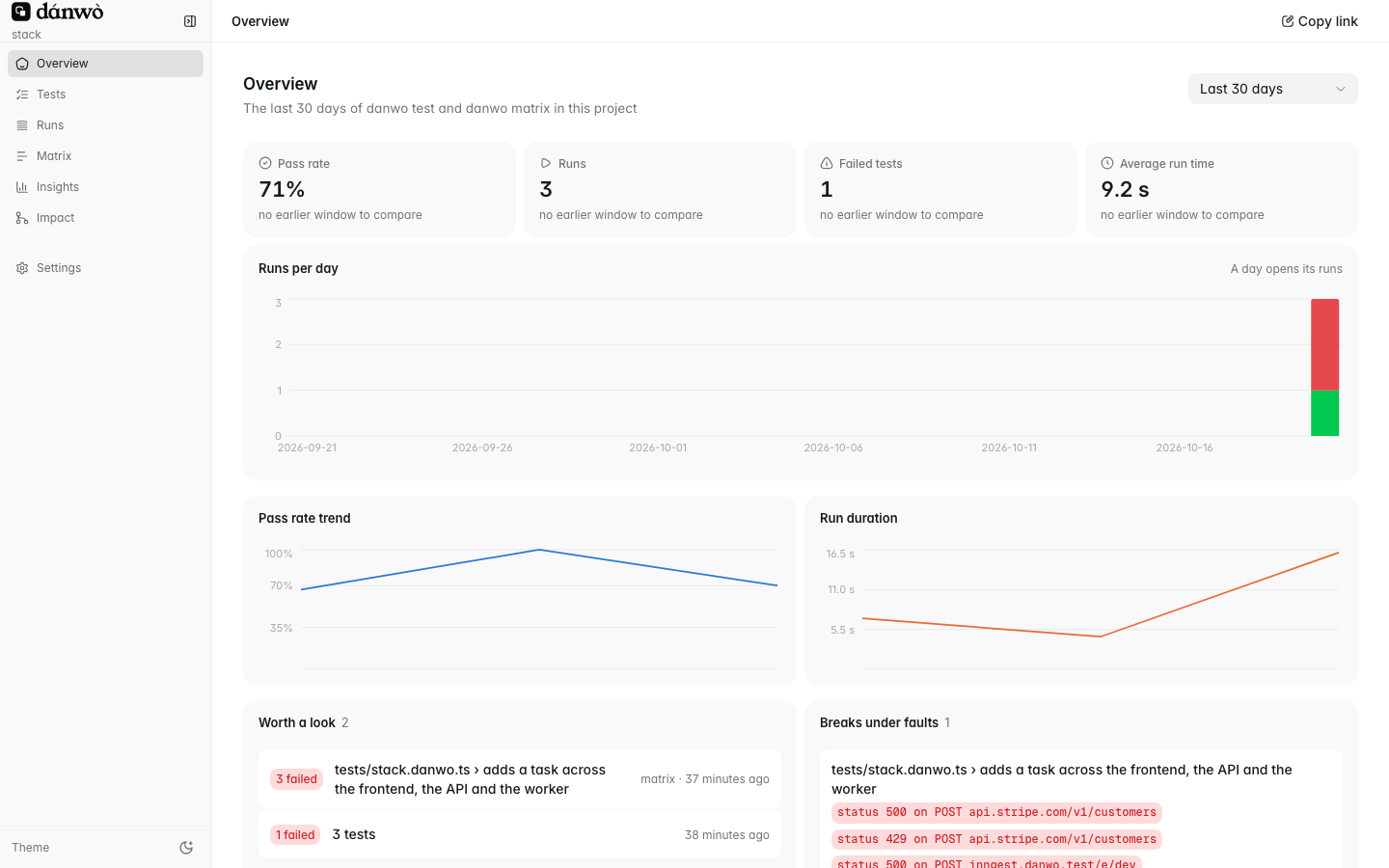
The four cards compare the chosen window with the one before. Click a day's bar to see its runs.
Tests
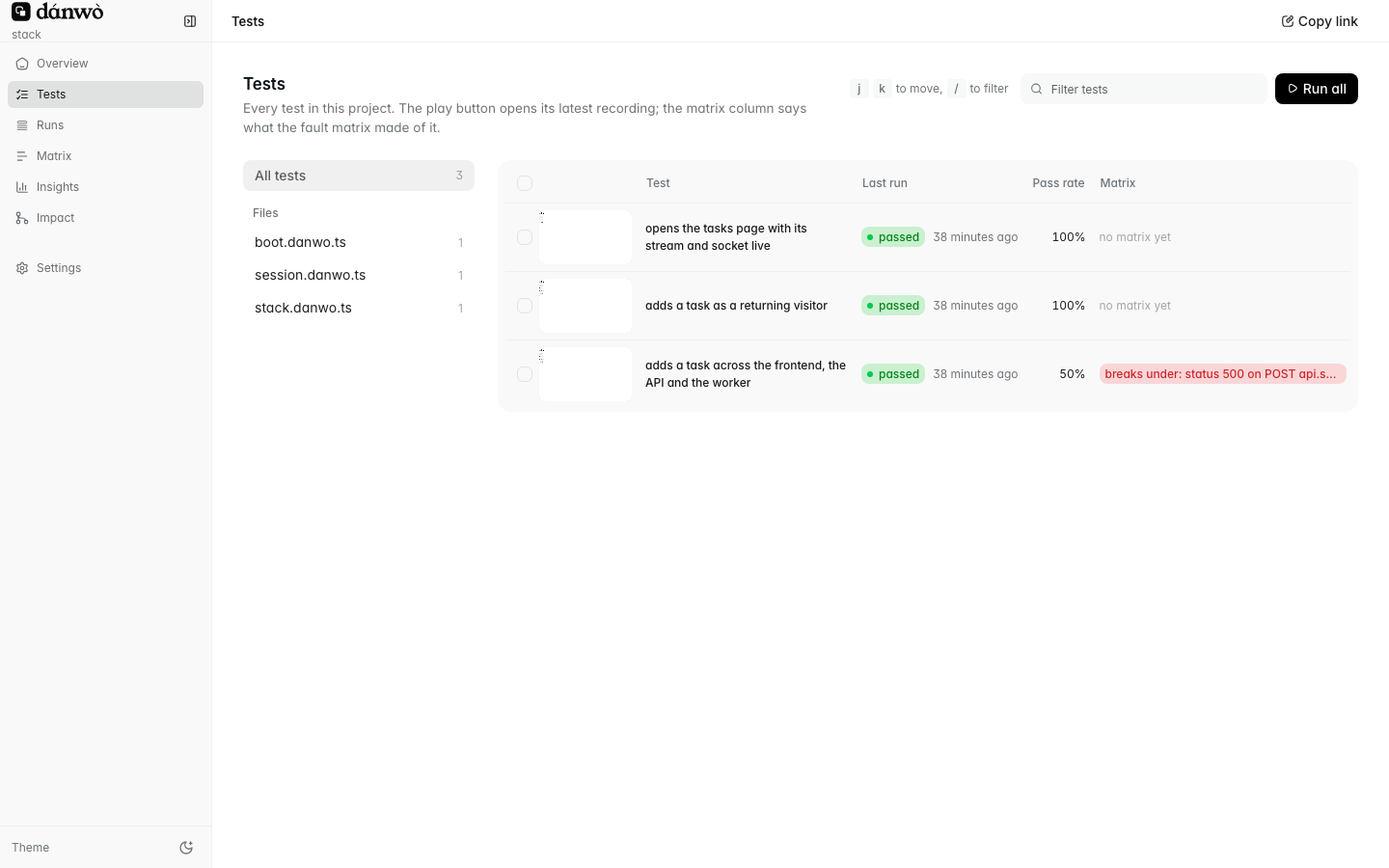
Each row shows the matrix's verdict: breaks under a fault, held under all, or no matrix yet.
Run selected and Run all start danwo test from the page.
Runs
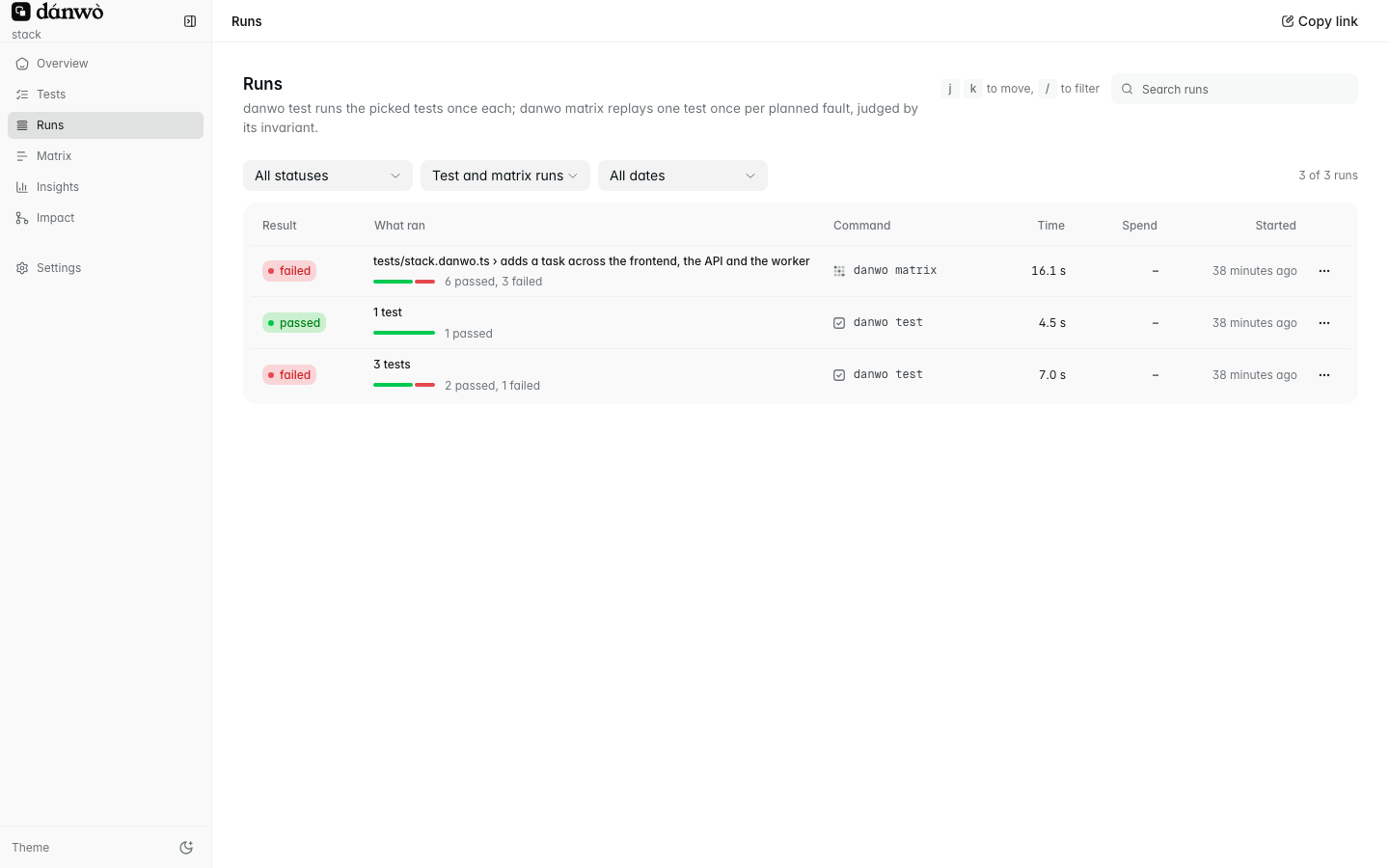
Filter by status, kind and date. A test run lists each test with its attempts; click one to open its recording.
A matrix run
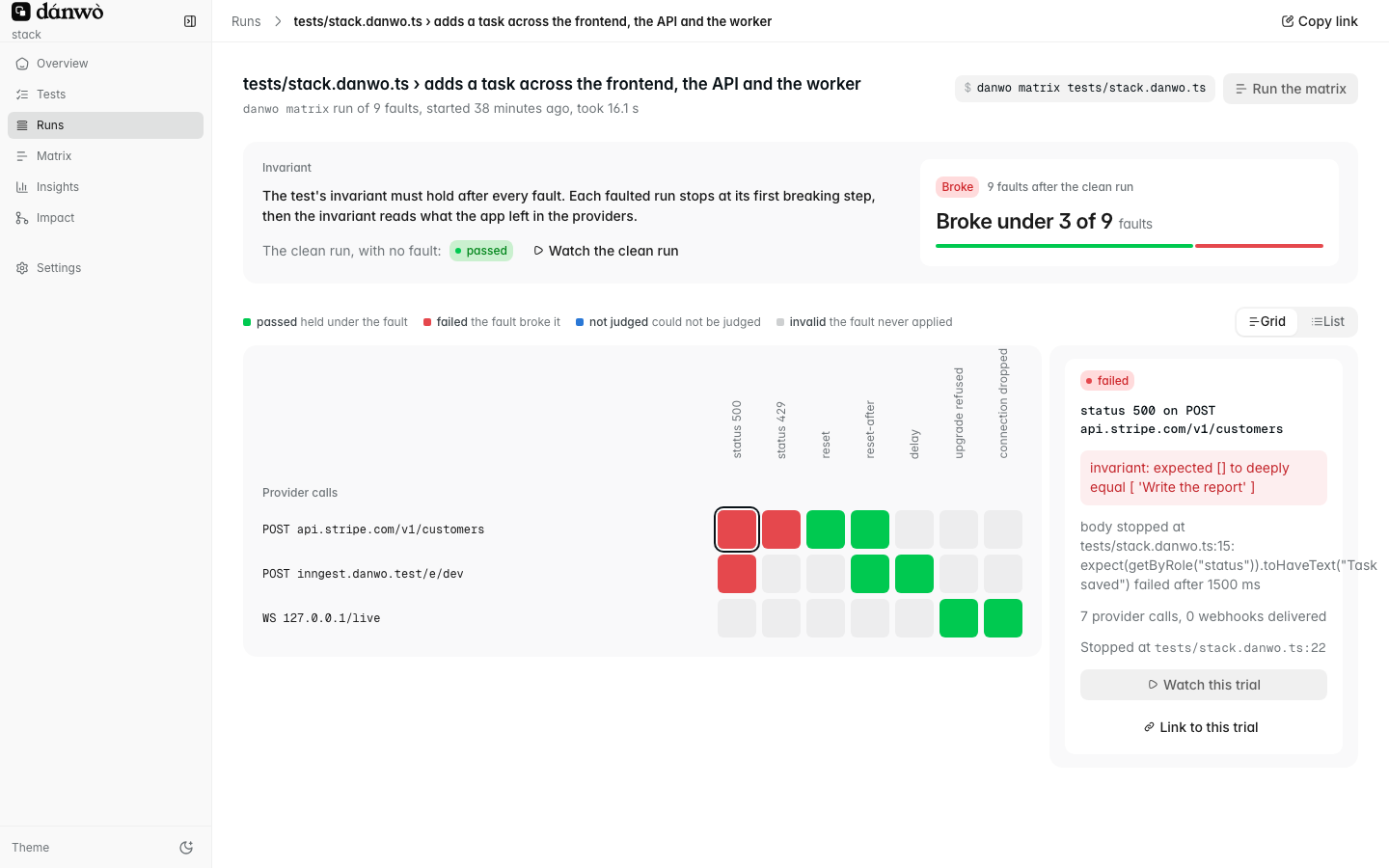
The grid has a row per call or webhook, and a column per fault kind. Red cells broke your invariant. Click one to see why, then Watch this trial to open its recording.
Insights
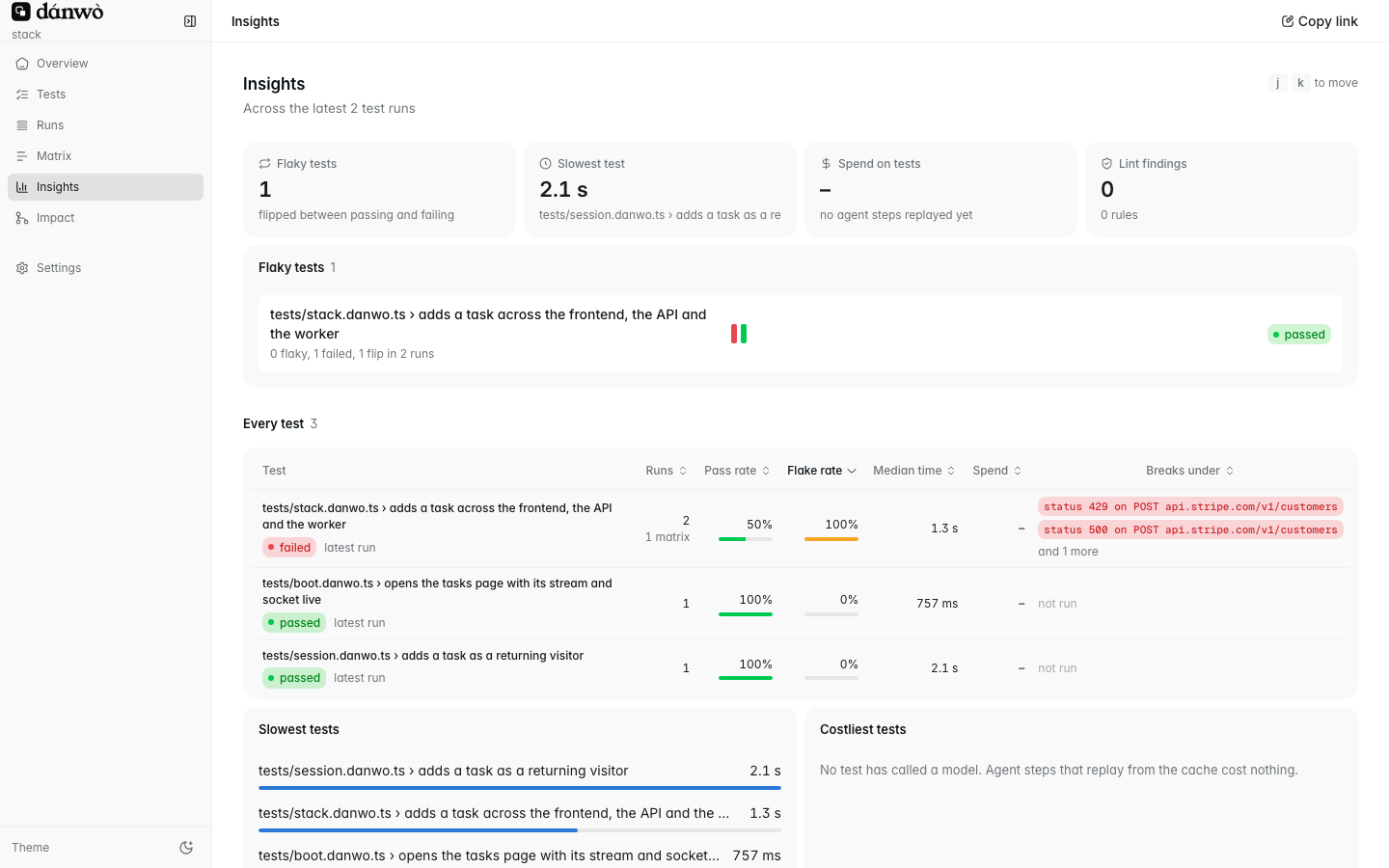
Sort the table by flake rate, median time or spend to find the tests worth fixing first.
Every page has a link
Every page, filter and open recording has its own address. Copy link in the top bar copies it, so you can send a teammate the exact trial you're looking at.